

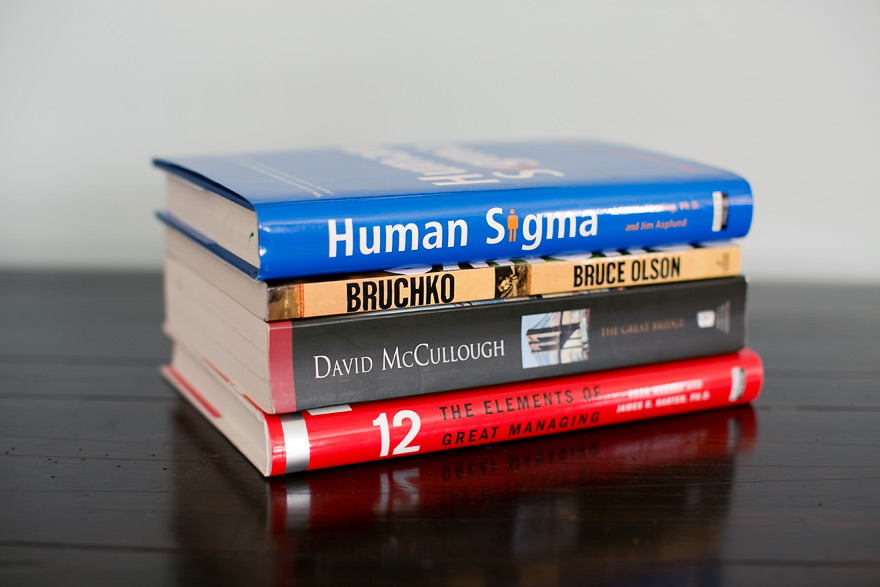
Reading is something I enjoy doing. A lot. I've developed a bit of a habit.
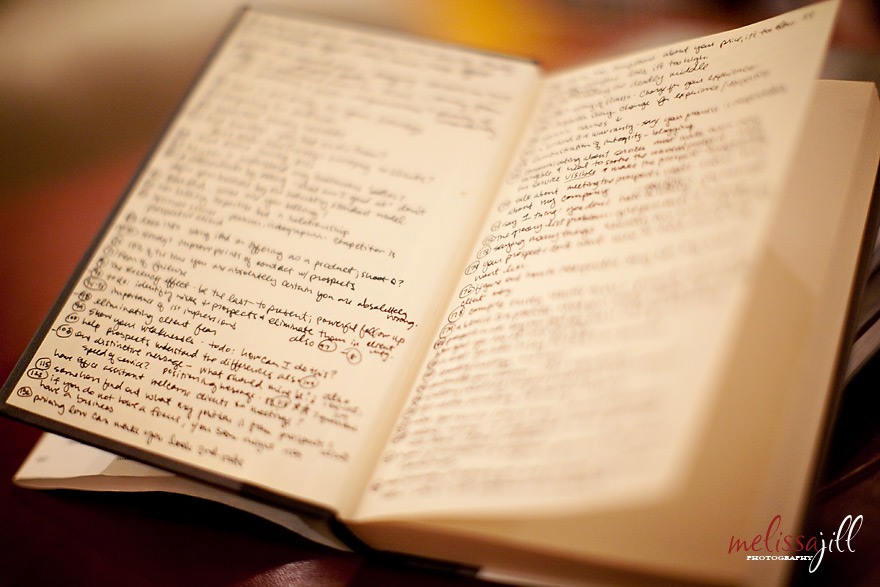
I read two types of books, mainly: Business books for the obvious reason, and novels/biographies/non-fiction (anything with a storyline) to help me relax and sleep better at night. I usually buy my business books because I like to underline and write notes in them. I have a thing where I keep track of anything I want to remember on the front inside cover of a book. I write the page number and the point that stuck out or something I want to add to my goal list because of what I read. This is what the inside of my copy of Selling the Invisible, one of my favorite business books, looks like:
I read two types of books, mainly: Business books for the obvious reason, and novels/biographies/non-fiction (anything with a storyline) to help me relax and sleep better at night. I usually buy my business books because I like to underline and write notes in them. I have a thing where I keep track of anything I want to remember on the front inside cover of a book. I write the page number and the point that stuck out or something I want to add to my goal list because of what I read. This is what the inside of my copy of Selling the Invisible, one of my favorite business books, looks like:
But a few years back I decided to stop buying novels. It was just getting too dang expensive and the part of me that loves the smell of new books had to be cut off by the part of me that balances the checkbook.
So I decided to attempt to make use of the modern institution made possible by our hard earned tax dollars: the library. Ugh. But it's such a pain! I hate going in and having to search high and low for the book I'm looking for. Or worse yet, going in without a clue of what I'm looking for with the hopes that the perfect book will somehow find me -- maybe jump off the shelf and hit me over the head.
Being the efficient systems-loving person that I am, I figured out a better system to feed my habit. And it's been working fabulously for years:
Goodreads.com
I use this handy tool to keep track of the books I want to read. Goodreads is social media for readers. You can find your friends and see what they're reading and what they have rated the books they have already read. But if that's too much for you, you can use it simply to categorize your books and keep track of what you want to read. Any time I come across a book that I would like to get my hands on someday, I add it to my "to read" list on Goodreads. Then, when I sit down to order my next batch of business books from Amazon or find the next book I want to check out from the library, I don't have to remember them. I just pull up Goodreads. As a side note, Goodreads also has a handy app so you can pull up your lists when you're on the go or trying to find a book in a pinch at a bookstore.
Prioritize by Rating
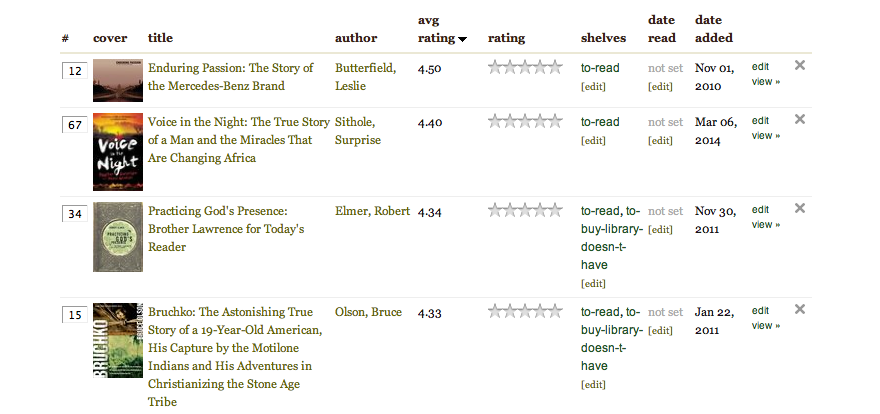
After pulling up my "to read" list on Goodreads, I sort it by average rating. The average rating is the rating the book has received by anyone on Goodreads who has read it. In general, I can count on the 4+ star books to be pretty amazing, and the likelihood of me loving the book goes up of course if someone I trust has recommended it to me. It takes one click on the "avg rating" column header and voila! -- the list is magically in order.
So I decided to attempt to make use of the modern institution made possible by our hard earned tax dollars: the library. Ugh. But it's such a pain! I hate going in and having to search high and low for the book I'm looking for. Or worse yet, going in without a clue of what I'm looking for with the hopes that the perfect book will somehow find me -- maybe jump off the shelf and hit me over the head.
Being the efficient systems-loving person that I am, I figured out a better system to feed my habit. And it's been working fabulously for years:
Goodreads.com
I use this handy tool to keep track of the books I want to read. Goodreads is social media for readers. You can find your friends and see what they're reading and what they have rated the books they have already read. But if that's too much for you, you can use it simply to categorize your books and keep track of what you want to read. Any time I come across a book that I would like to get my hands on someday, I add it to my "to read" list on Goodreads. Then, when I sit down to order my next batch of business books from Amazon or find the next book I want to check out from the library, I don't have to remember them. I just pull up Goodreads. As a side note, Goodreads also has a handy app so you can pull up your lists when you're on the go or trying to find a book in a pinch at a bookstore.
Prioritize by Rating
After pulling up my "to read" list on Goodreads, I sort it by average rating. The average rating is the rating the book has received by anyone on Goodreads who has read it. In general, I can count on the 4+ star books to be pretty amazing, and the likelihood of me loving the book goes up of course if someone I trust has recommended it to me. It takes one click on the "avg rating" column header and voila! -- the list is magically in order.
Place Books on Hold
I find the book at the top of the list, making note of which one it is. Next, to save myself the hassle of searching the library on foot, I pull up my local branch's website and login. I search by title and place the book on hold. Sometimes I end up in a virtual line for the book, but the great thing is, my library emails me as soon as the book is ready to pick up.
Two minute Pick Up
When I'm notified, I can park right outside the library door, pop in for literally two minutes, find my book marked with my name on the "on hold" shelf and check out. SO EASY!!
If I'm taking my time on a book, the library will email me a reminder of the due date with a link to renew right online. So that's super-convenient as well.
This system has allowed me to keep feeding my addiction but has saved my bank account and valuable time. Just thought I'd share in case it could help anyone else out! I'm so glad I became friends with the library again!
If you join Goodreads, friend me here!
I find the book at the top of the list, making note of which one it is. Next, to save myself the hassle of searching the library on foot, I pull up my local branch's website and login. I search by title and place the book on hold. Sometimes I end up in a virtual line for the book, but the great thing is, my library emails me as soon as the book is ready to pick up.
Two minute Pick Up
When I'm notified, I can park right outside the library door, pop in for literally two minutes, find my book marked with my name on the "on hold" shelf and check out. SO EASY!!
If I'm taking my time on a book, the library will email me a reminder of the due date with a link to renew right online. So that's super-convenient as well.
This system has allowed me to keep feeding my addiction but has saved my bank account and valuable time. Just thought I'd share in case it could help anyone else out! I'm so glad I became friends with the library again!
If you join Goodreads, friend me here!
Comments


